

Core capabilities
AI agents in Lightdash allow you to:- Ask questions in natural language - Simply type what you want to know about your data, like “What’s our total revenue by region?” or “Show me user growth over the last 6 months”
- Get instant visualizations - Receive bar charts, time series, and tables automatically generated based on your questions
- Explore interactively - Follow up with additional questions, drill down into specific data points, or request different chart types
- Maintain conversation context - AI agents remember your conversation history, so you can build on previous questions and refine your analysis
- Provide text-only responses - Get answers in natural language when visualizations aren’t needed
- Guide you to the right data - Direct you to the most relevant explores or tables for your questions
- Discover existing content - Find and share relevant charts and dashboards that have already been created in your project
- Generate complete dashboards - Create multiple related visualizations at once that tell a cohesive story about your data, perfect for executive summaries or thematic analyses
Using AI agents in Slack
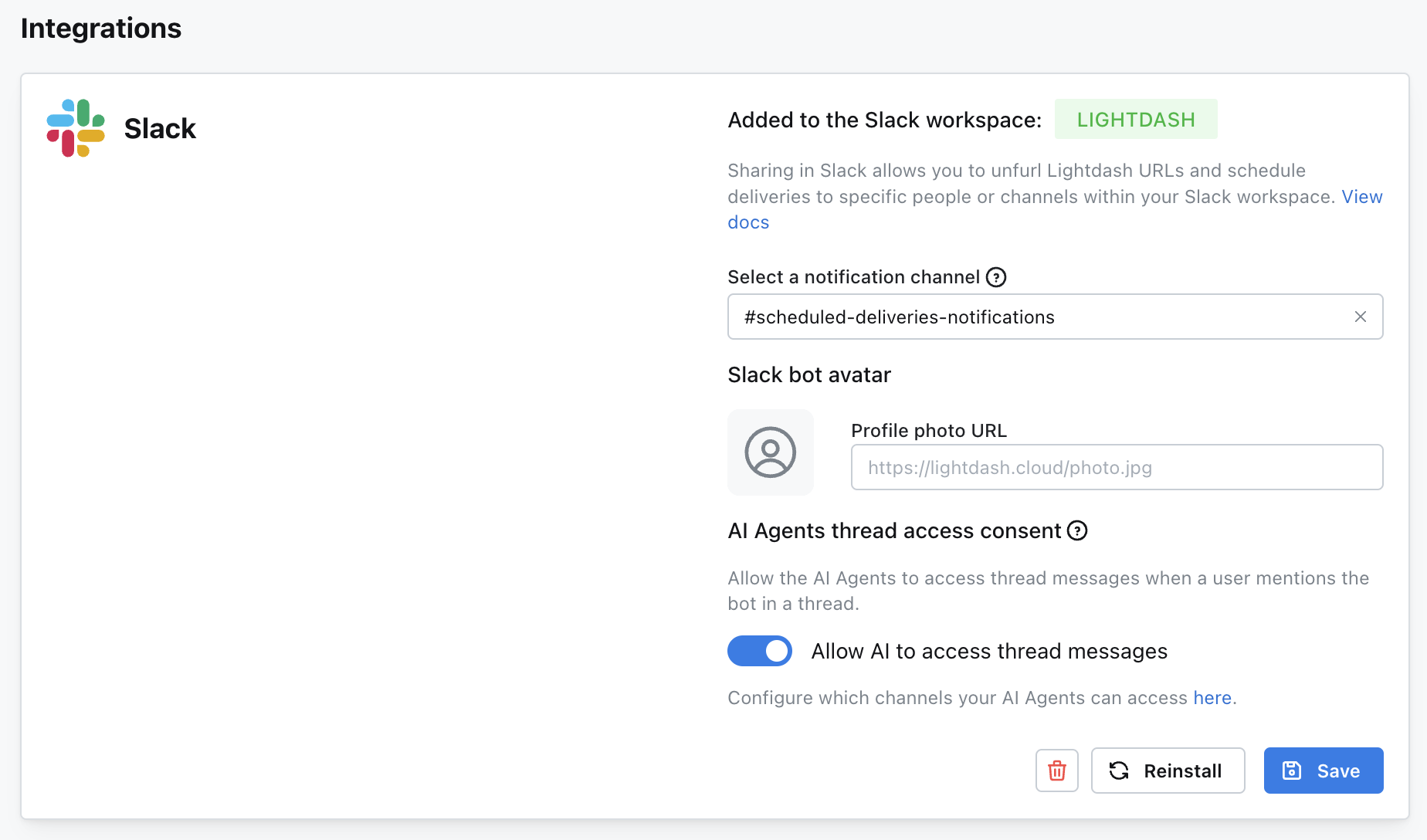
Connect your AI agents to Slack for collaborative data analysis and team-wide insights sharing, here’s how:- Select or create an AI agent in your Lightdash instance
- Add the Slack integration in your organization settings
- Under ‘Integrations’, add the channel you want to use
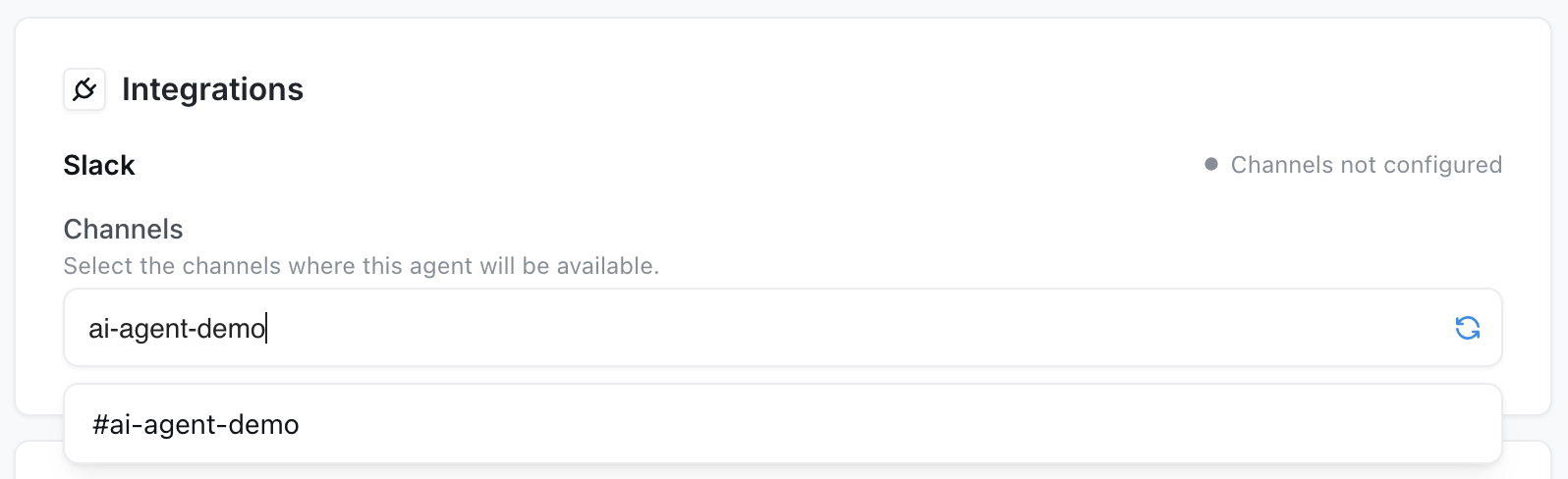
- Tag your Slack App in the channel you want to use
- Start asking questions like “What kind of data can you access?” or “Show me total order amount over time”
- Get instant results directly in Slack
Demo
Watch this comprehensive demo to see AI agents in action:Providing feedback on responses
AI agents can improve over time with your feedback. After receiving an answer from your agent, you can provide feedback to help improve future responses: How to provide feedback:- Look for the thumbs up/down icons on any agent response
- Click thumbs down if the answer wasn’t helpful or accurate
- Optionally provide detailed feedback explaining what went wrong
- The agent will use your feedback when you follow up with additional questions in the same conversation
- Lightdash
- Slack
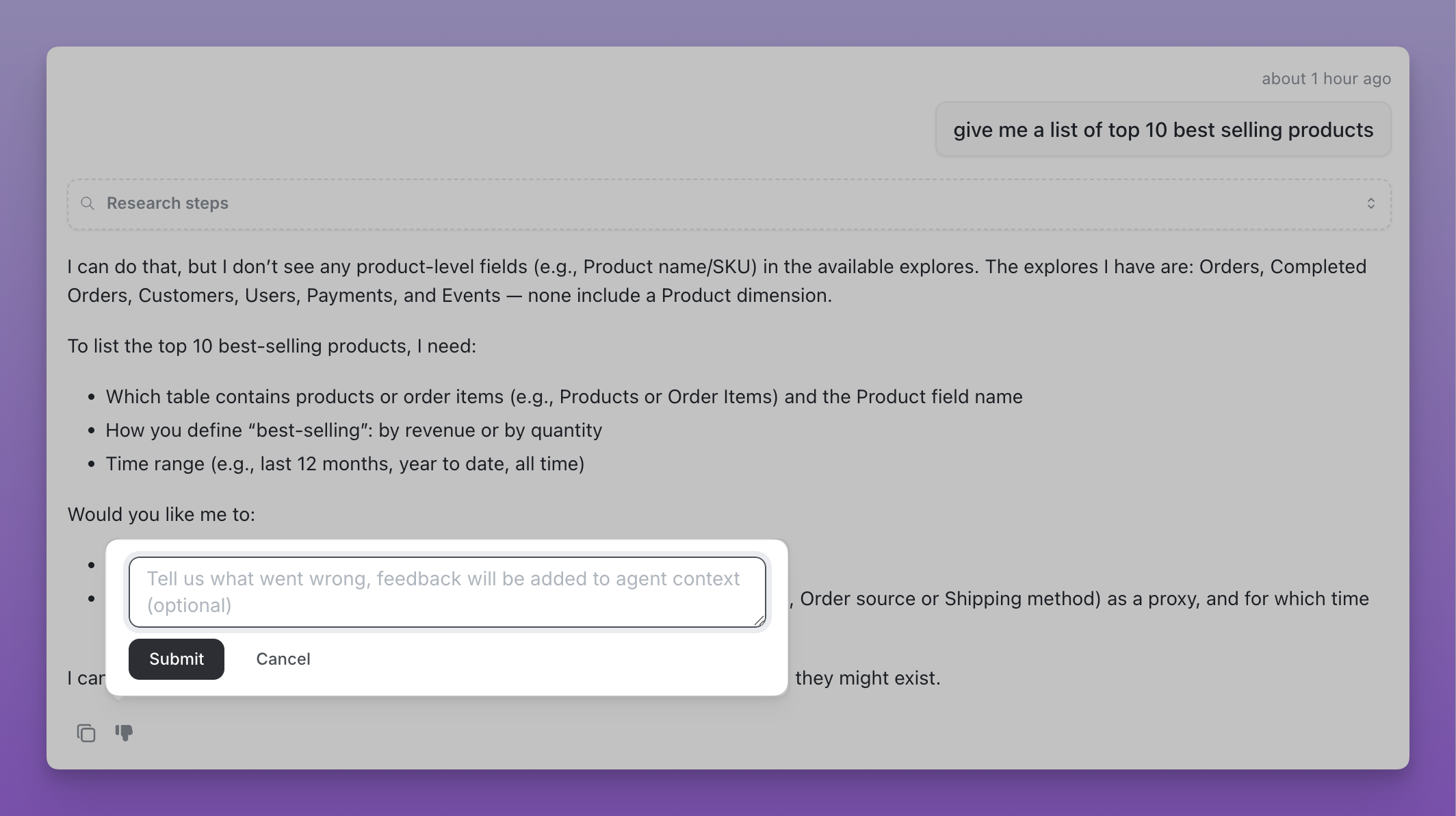
Feedback in Lightdash web app
- Immediate improvement - When you follow up after providing feedback, the agent uses your feedback to adjust its next response
- Identifying common issues - Helps spot patterns in misunderstandings or incorrect interpretations
- Long-term learning - Improves the agent’s understanding of your data and business context over time
FAQs
- Does Lightdash store the query data?
- Why can’t I set multiple Agents for the same Slack channel?
Known limitations
These limitations reflect the current state of AI agents as we continue
developing and improving the feature. Many of these constraints will be
addressed in future releases, so stay tuned! Your feedback and feature
requests help us prioritize what to build next.