

How it works
When self-improvement is enabled, your AI agent can:- Propose changes to your semantic layer during conversations
- Apply changes immediately to a changeset (batch of changes)
- Track all modifications with full history and attribution
- Allow review and rejection of changes by authorized users
View self-improvement changes in chat
View self-improvement changes in chat
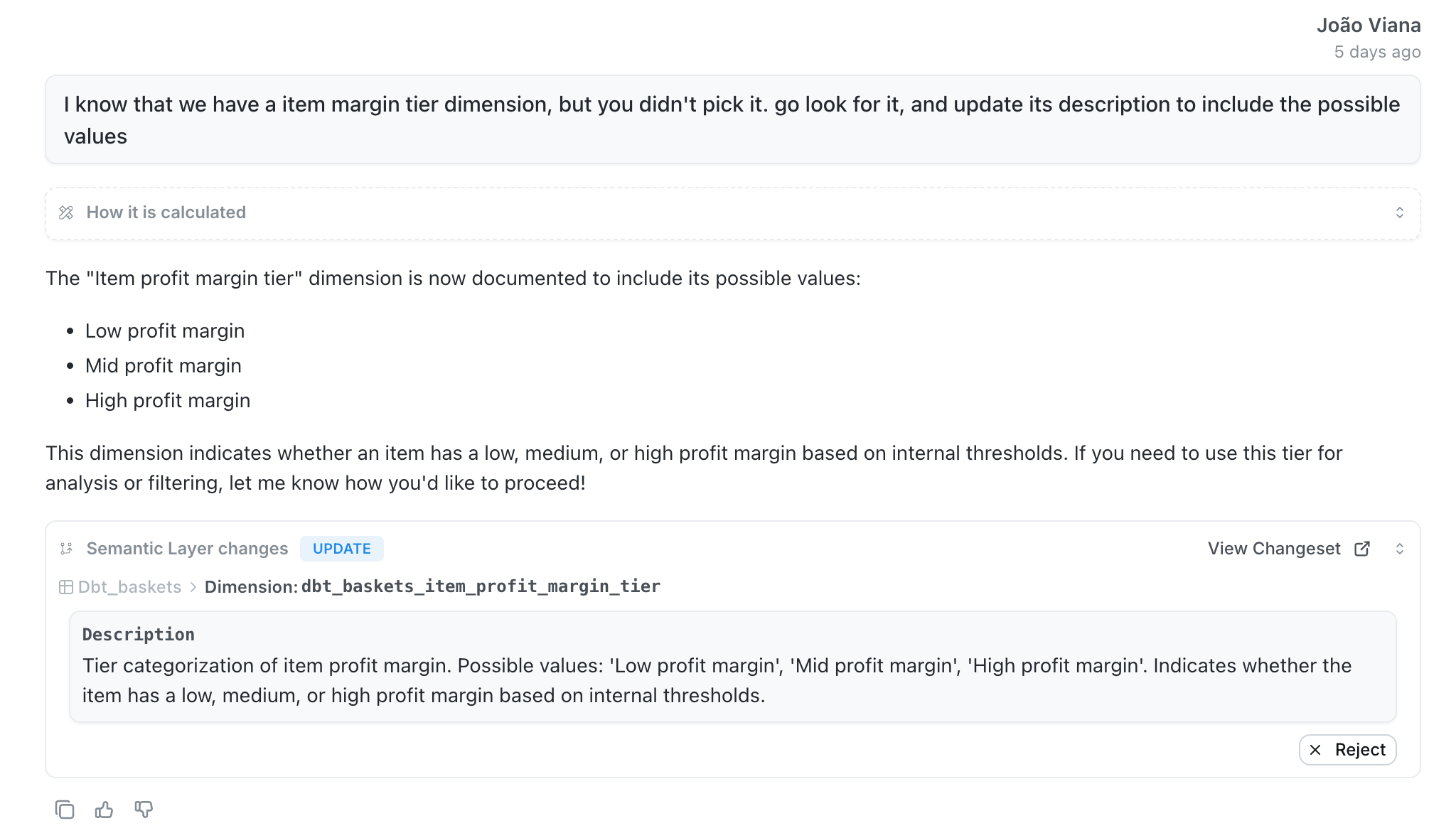
Updating a description of a dimension
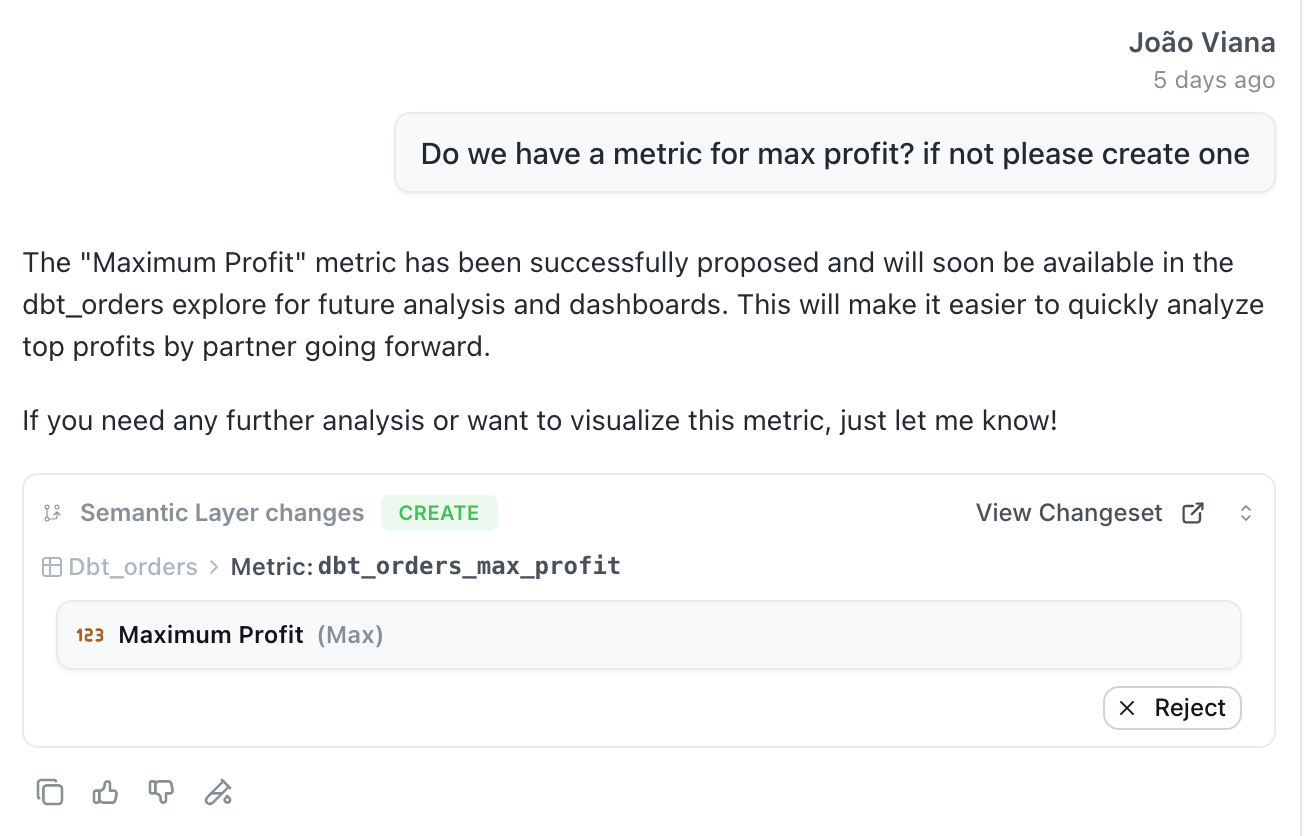
Creating a custom metric
What agents can improve
Update descriptions for better documentation:- Explore descriptions to clarify data sources and use cases
- Metric descriptions to explain calculations and business logic
- Dimension descriptions to provide field context
- Custom aggregations derived from existing dimensions
Enabling self-improvement
To enable self-improvement for an agent:- Go to your agent settings
- Toggle the “Enable Self-Improvement” switch
- Save your changes
How to enable self-improvement
How to enable self-improvement
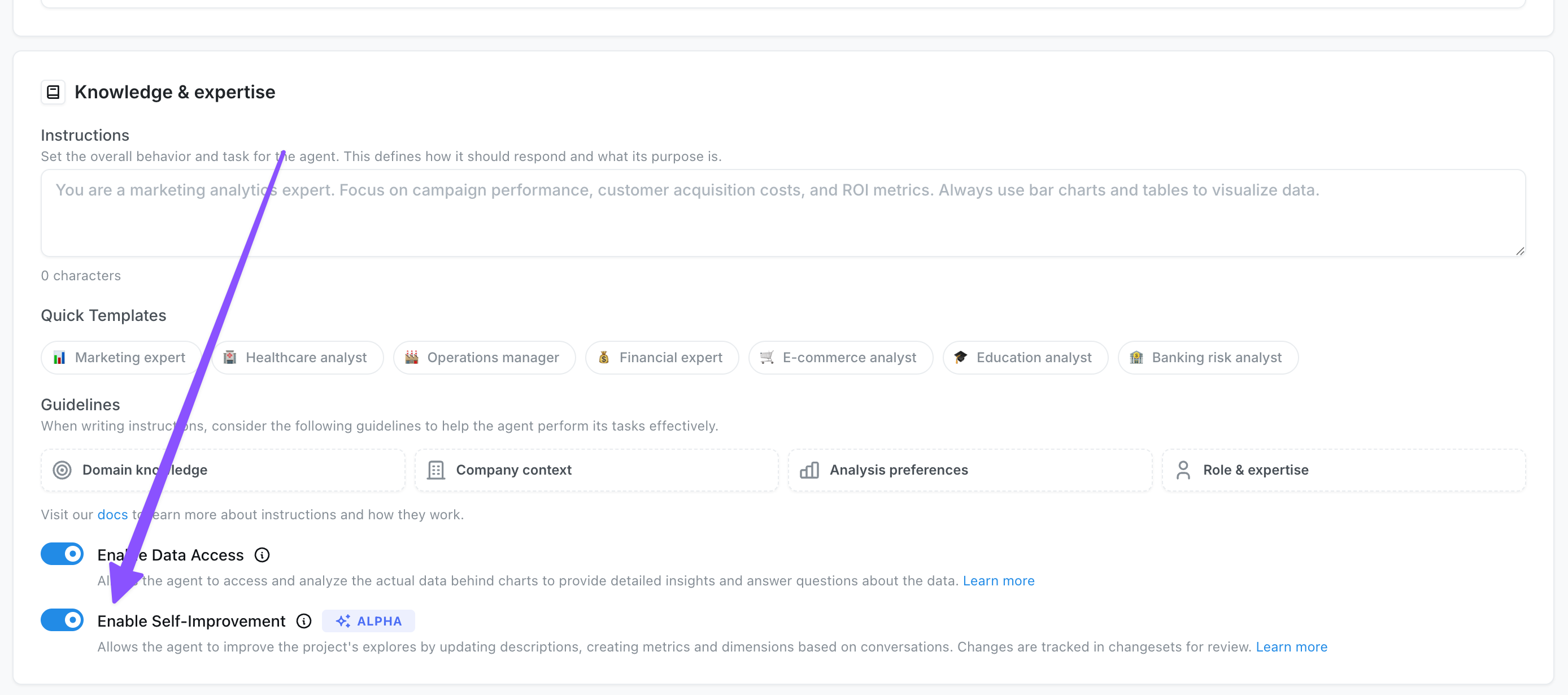
Only admins and developers can enable and use self-improvement
Managing changes
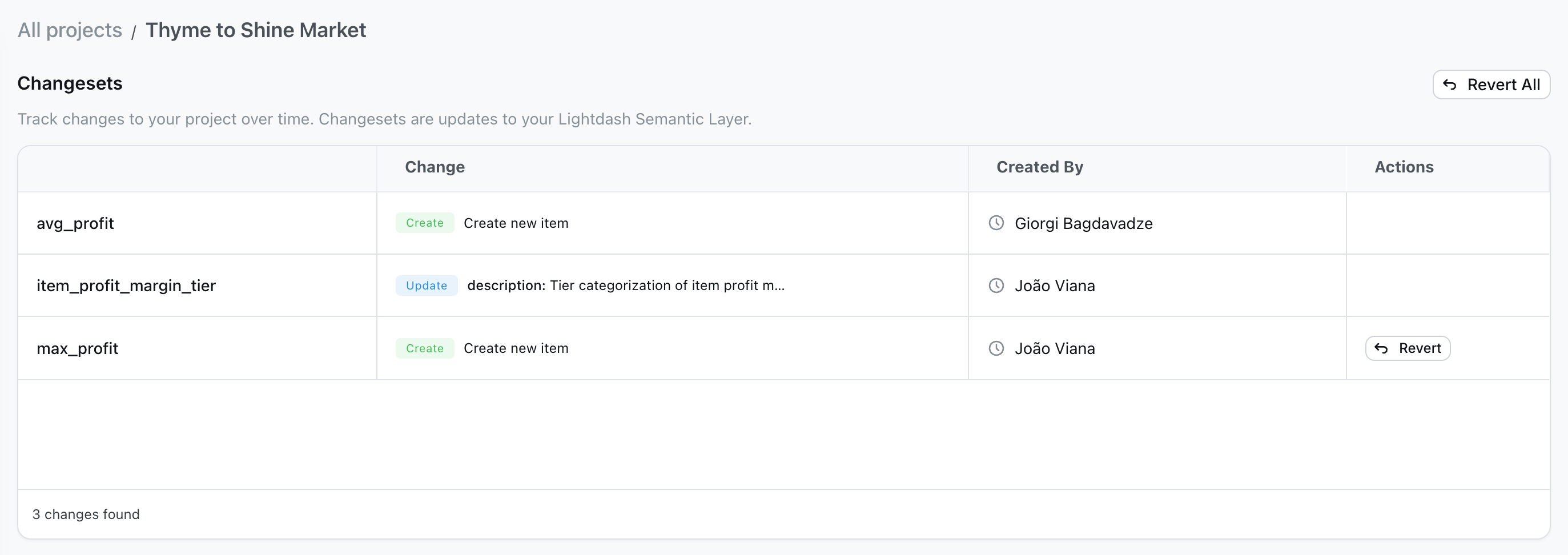
All proposed changes are tracked in changesets, which you can access from Project Settings: View all changes:- Navigate to Project Settings > Changesets
- See a complete list of proposed changes with details about what was modified
- View who proposed each change and when
Viewing changes in changeset view from project settings
Viewing changes in changeset view from project settings
- Each proposed change appears as a card in the conversation
- Click “View Changeset” to see the full details
- Use the “Reject” button to revert changes you don’t want
- Individual changes can be rejected directly from the chat interface
- Use “Revert” in the changesets page to undo specific changes
- Use “Revert All” to undo multiple changes at once
- If a project is re-deployed, the changeset will be applied if possible